Safe to spend
Start with the balances you include, then reserve upcoming bills, goal contributions, and remaining budget commitments to estimate what is available.
From detailed transactions to safe-to-spend planning and a private monthly review, Sumstead turns everyday tracking into a clearer view of what comes next.
The newest tools work together: scheduled activity informs your safe-to-spend estimate, richer records improve your reports, and automation handles the repetitive parts.
Start with the balances you include, then reserve upcoming bills, goal contributions, and remaining budget commitments to estimate what is available.
Look ahead to scheduled income, expenses, subscriptions, and transfers. Recurring items can post automatically or wait for your approval.
Allocate a purchase across categories, organize it with tags, and connect refunds back to the original spending for cleaner totals.
Work through a statement, mark matching activity as cleared, and finish with a visible adjustment only when the recorded balance needs one.
Apply repeatable actions from transaction conditions and reuse complete budget setups instead of rebuilding them month by month.
Revisit income, spending, category changes, budgets, goals, subscriptions, and net-worth movement in a durable month-end summary.
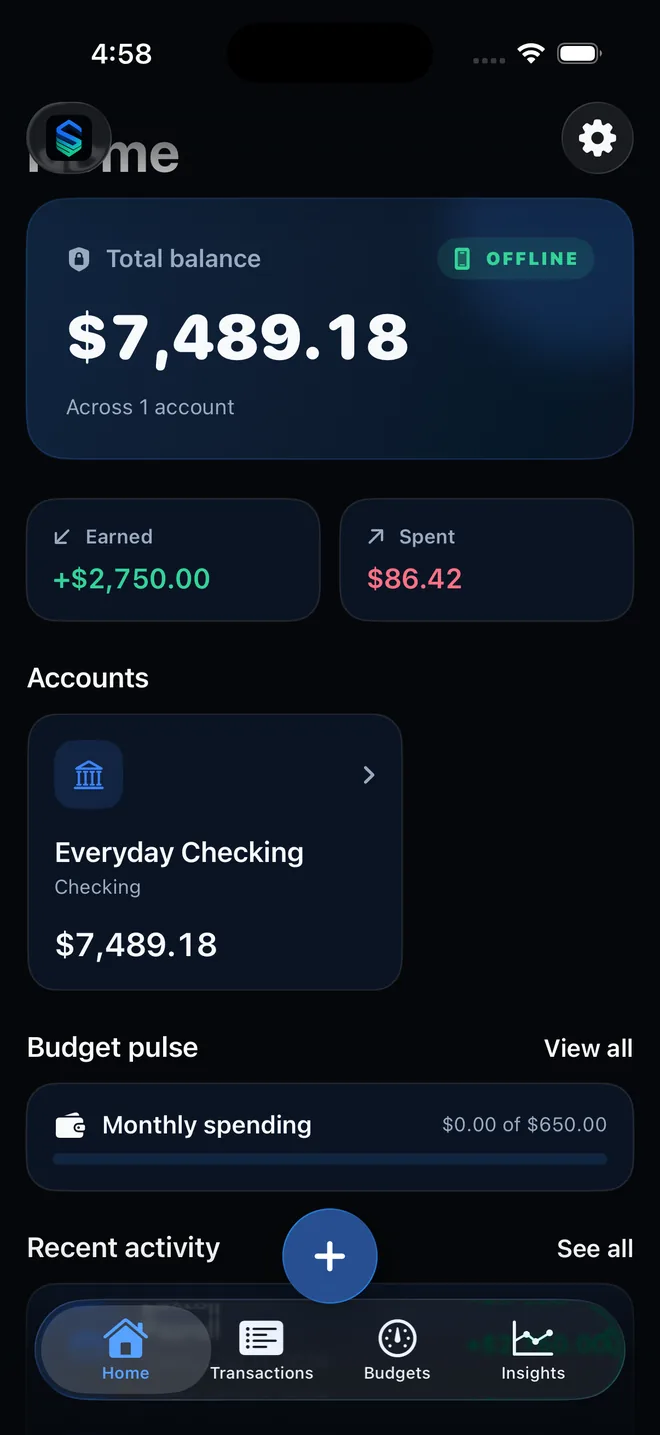
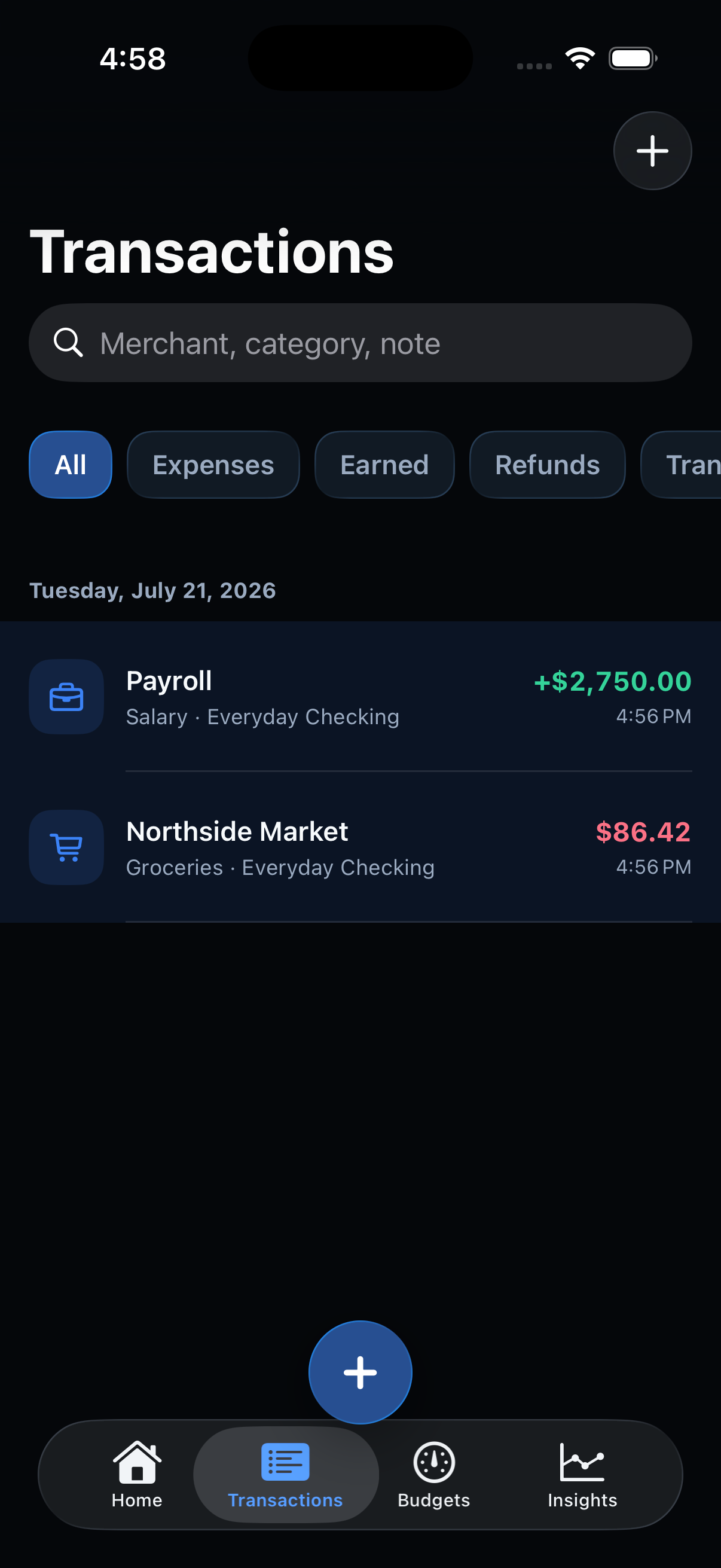
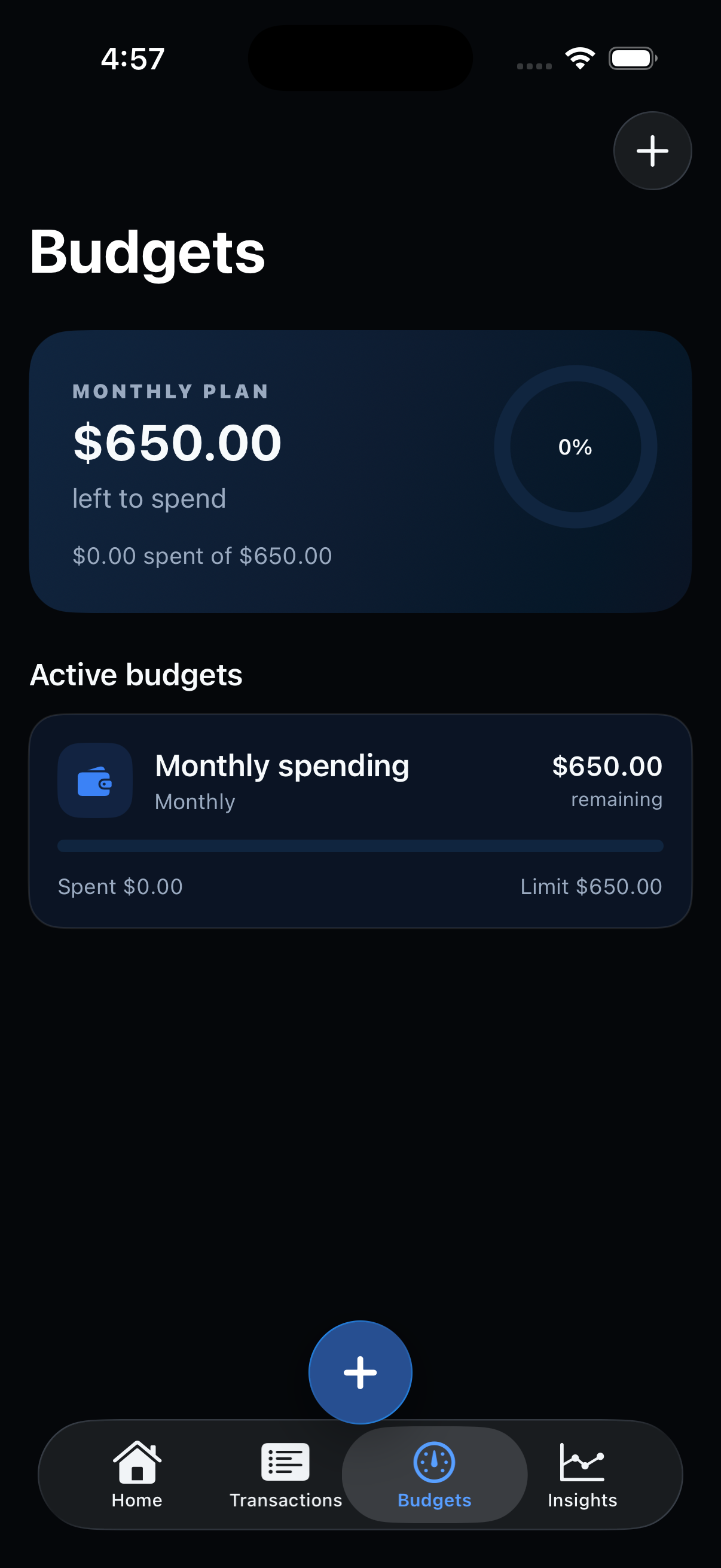
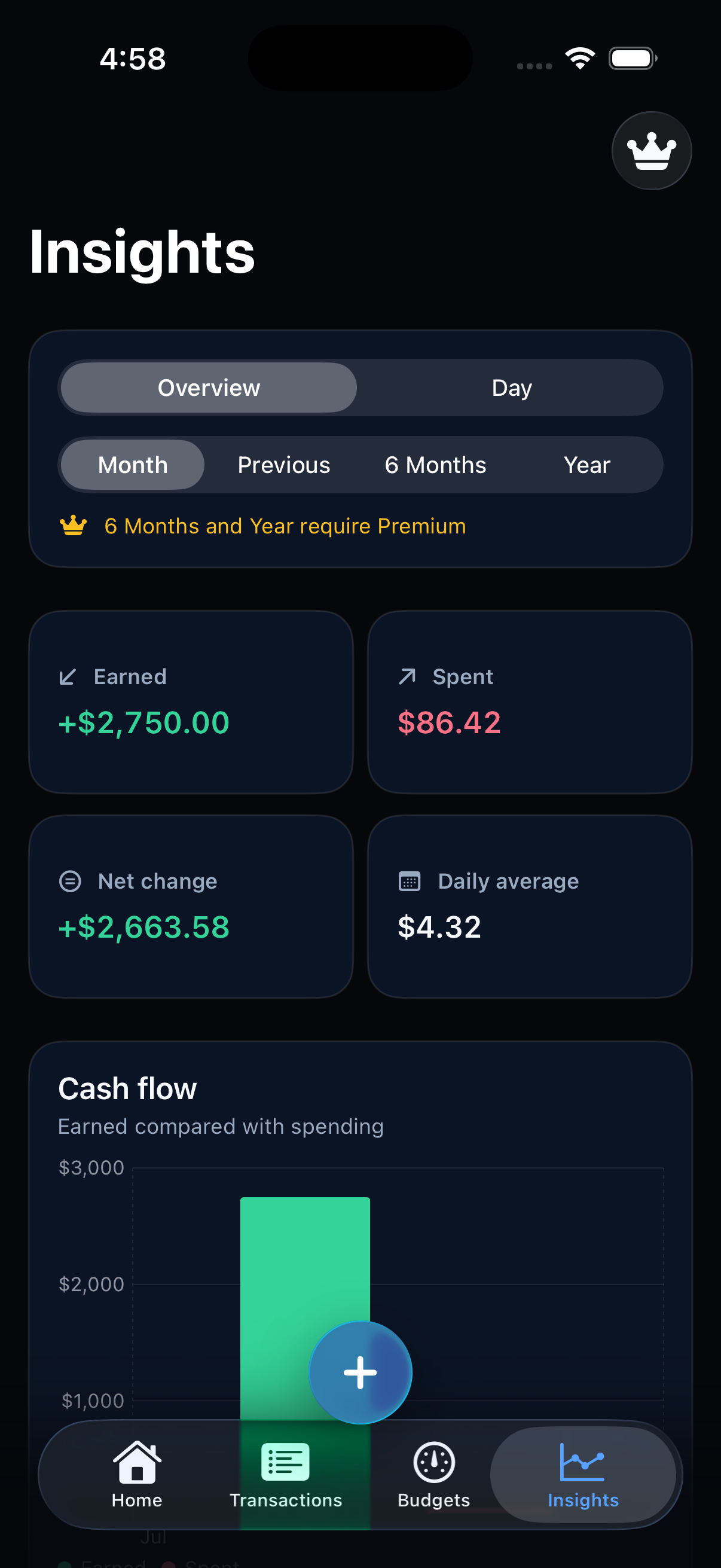
Sumstead is more than a spending list. Its balanced ledger and exact minor-unit math keep transfers, splits, refunds, opening balances, and account totals consistent.
Record expenses, earned money, refunds, and transfers with the right behavior for each.
Divide one transaction across multiple categories while preserving the exact total.
Add reusable tags, then keep them through search, CSV transfer, encrypted backup, and optional iCloud Sync.
Track cash, checking, savings, credit, asset, and liability accounts in one base currency.
Clear activity against a real statement and keep any balancing adjustment explicit in the ledger.
Search and filter locally by account, category, tag, merchant, date, and transaction type.
Build a plan that changes with real life. The free core covers everyday budgets and upcoming context; Premium adds deeper automation and reusable planning.
Understand what remains after the commitments already represented in your own plan.
See scheduled paychecks, bills, subscriptions, transfers, and goal contributions before they arrive.
Set overall or category budgets and follow clear remaining and progress views.
Save a complete group of category limits and apply it again when a new budget period begins.
Schedule repeating activity, choose automatic or approval-first creation, catch up missed dates, and use local reminders.
Track progress from a real account balance and schedule the monthly transfer needed to meet a target date.
Automation stays understandable and local. You can see what a rule will do, review approval-first activity, and change or disable the setup whenever you want.
Match merchant, amount, account, or transaction type, then apply categories, accounts, normalized merchant names, or tags.
Turn familiar merchant names into on-device category suggestions that remain easy to review and change.
Reorder or hide home cards for safe to spend, upcoming activity, goals, monthly summaries, accounts, budgets, and recent entries.
Cash-flow summaries, month-end reviews, category breakdowns, trends, and comparisons are calculated locally from your own device.
Compare earned and spent, then see net change and daily averages for the selected period.
See where spending concentrates without sending merchant or transaction data away.
Keep a month-by-month record of cash flow, category changes, budgets, goals, subscriptions, and net-worth movement.
Spot unusual category pace, rising subscriptions, and possible low balances from patterns calculated on device.
See where repeated purchases add up and open the underlying activity when you want the detail.
Use longer and custom periods, deeper history, comparisons, and locally generated PDF reports.
Your records are useful only if they remain accessible on your terms. Sumstead protects local data, lets you hide especially sensitive accounts, and keeps transfer tools available.
Capture documents or import photos, then confirm merchant, date, total, tax, account, and category before saving.
Keep selected accounts out of totals, forecasts, reviews, widgets, exports, search, and shortcuts until you reveal them for the session.
Use device-owner authentication, privacy curtains, and protected storage for sensitive actions and files.
CSV import and export plus password-protected encrypted backup and restore remain part of the free core.
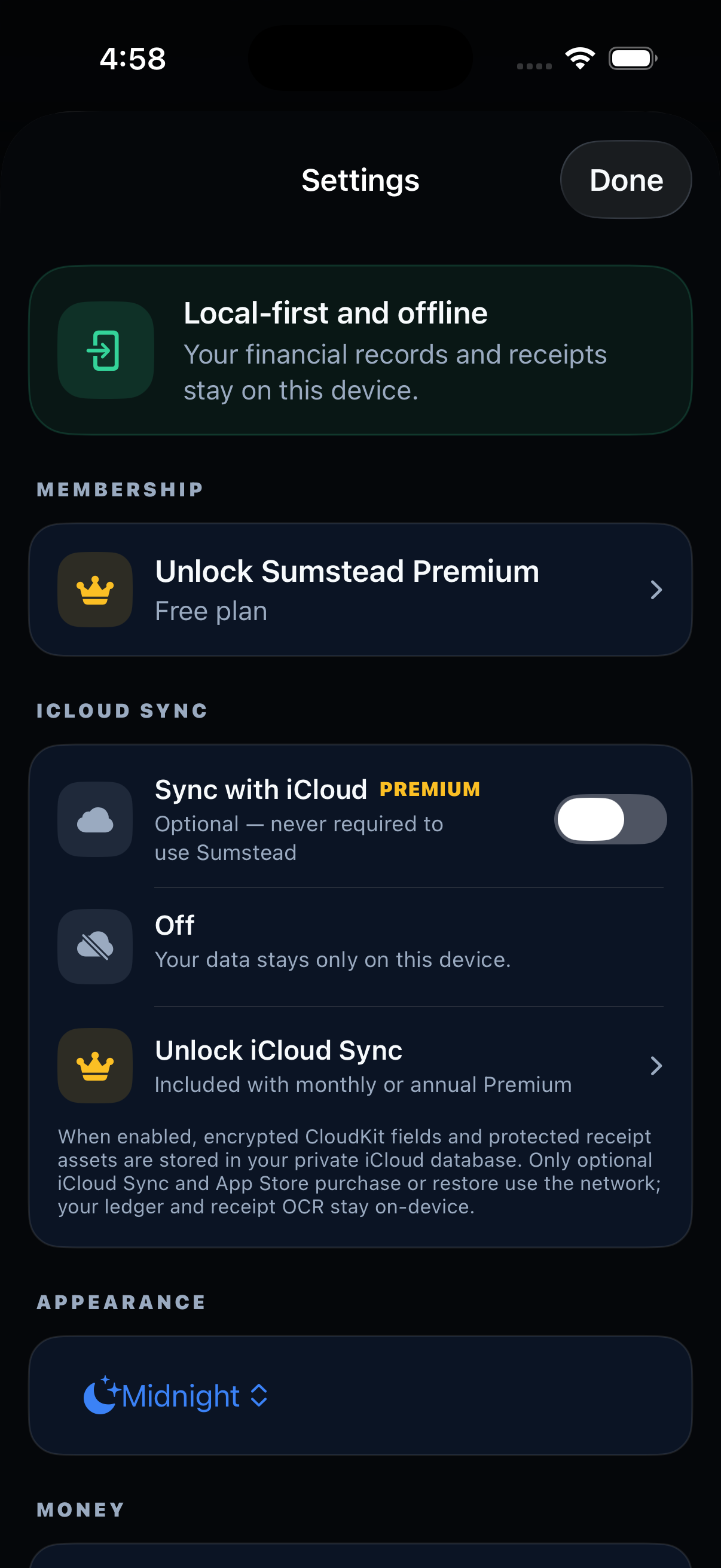
Choose encrypted iCloud Sync for your own Apple devices. It stays off until you enable it.
Add transactions and open key views from supported Apple system surfaces without a Sumstead account.
Sumstead is being prepared for its first iPhone, iPad, and Mac release.